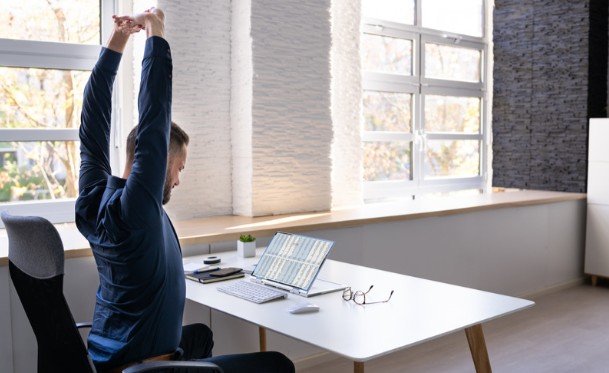

I want an eye-care routine that fits between closing my laptop and starting the rest of my evening. After back-to-back video meetings, emails, and phone scrolling, another complicated wellness task hardly sounds appealing. That’s why I’d start with simple ways to reduce eye strain after screen time that address dryness, prolonged focusing, and uncomfortable lighting.
Taking a genuine screen break, blinking fully, and adjusting your surroundings may help tired eyes feel more comfortable. Small changes during tomorrow’s workday can also reduce the chance of repeating tonight’s discomfort.
Why Your Eyes Feel Tired After Screens
Screen use involves sustained close focusing, often combined with reduced blinking. When you blink less frequently or incompletely, the tear film covering your eyes can become less stable, contributing to dryness and irritation.
Glare, tiny text, an outdated glasses prescription, and awkward viewing distances can add to the problem. Symptoms may include burning, watery eyes, temporary blur, headaches, and difficulty concentrating. Neck and shoulder discomfort can accompany an uncomfortable desk setup.
These symptoms are often called digital eye strain or computer vision syndrome. However, recurring discomfort deserves attention rather than an automatic assumption that screens explain everything.
Start With a Real Break From Close Work

Closing your work laptop and immediately opening social media keeps your eyes focused nearby. Instead, put your phone aside and look across your yard, down the block, or toward a distant view through a window.
A brief walk or an audio-only podcast gives you something enjoyable to do without another close visual task. Reading small print immediately afterward may continue the same focusing demand.
During future screen sessions, try the 20-20-20 rule: every 20 minutes, look at something about 20 feet away for at least 20 seconds. Treat it as a practical reminder to interrupt prolonged near work.
Blink Fully and Address Dryness
Give Your Eyes a Gentle Reset
Pause and make several slow, complete blinks without squeezing your eyelids. You can also close your eyes briefly while sitting comfortably. These simple actions help spread tears across the eye surface.
Avoid rubbing irritated eyes or pressing on your eyeballs. Forceful eye exercises are unnecessary for an ordinary screen break.
Choose Lubricating Drops Carefully
Over-the-counter artificial tears may help when dryness contributes to discomfort. Ask a pharmacist or eye-care professional which product suits your needs, particularly if you wear contacts or need drops frequently.
Follow the label and avoid assuming that redness-relief drops provide the same benefit as lubricating drops. If contacts feel uncomfortable, switch to your prescribed glasses when appropriate and follow your lens-care instructions.
Make Your Room More Comfortable
A laptop that looks like a spotlight in a dark bedroom can be uncomfortable to view. Adjust screen brightness to suit the surrounding room rather than automatically choosing the lowest setting, and reduce blue light on your PC screen for a warmer display.
Move lamps or adjust blinds when reflections cross your display. A matte screen filter may help with persistent glare. For evening television, comfortable background lighting may feel better than complete darkness.
Airflow matters, too. Redirect a desk fan, heating vent, or air-conditioning outlet away from your face. In dry indoor conditions, a properly maintained humidifier may improve comfort.
Fix Your Setup Before Tomorrow

Among the simple ways to reduce eye strain after screen time, preparing your workstation can help address the conditions that keep triggering discomfort.
Adjust Distance and Screen Height
Place your monitor roughly an arm’s length away, commonly around 20–28 inches. Keep the top at or slightly below eye level so your gaze naturally angles downward. To improve sleep quality without changing bedtime, also keep screen brightness comfortable and limit screen use as bedtime approaches.
If you lean toward the display, enlarge the text instead of moving closer. Laptop users may find a stand and separate keyboard helpful for achieving a comfortable position.
Make Reading Easier
Increase browser zoom, choose readable text, and adjust contrast to a comfortable level. Clean your screen and glasses so smudges do not interfere with visibility.
When copying from printed documents, place them near your monitor on a holder. This reduces repeated changes in viewing distance and unnecessary head turning.
Support your arms, keep your feet comfortably supported, and relax your shoulders. A better posture supports comfort throughout the workday.
Skip the Blue-Light Shopping Shortcut
Blue-light-blocking glasses are often marketed as the answer to tired eyes, but evidence does not establish them as an effective treatment for digital eye strain.
Prescription computer glasses serve a different purpose: they can correct vision for your working distance. An optometrist can determine whether they would help.
Before purchasing accessories, prioritize breaks, comfortable lighting, adequate lubrication, and an appropriate prescription. Night-mode settings may feel pleasant, but they do not replace these habits.
Know When Rest Is Not Enough
Arrange an eye examination if discomfort keeps returning, affects your work, or persists despite changing your habits. Dry eye, prescription changes, and focusing problems may require individualized care.
Describe your screen hours, contact-lens use, symptoms, and workstation setup at the appointment. Ask about an examination schedule suited to your age, health, and vision needs.
Seek urgent care for sudden vision loss, severe eye pain, or other abrupt vision changes rather than treating them as routine fatigue.
Frequently Asked Questions
1. What are simple ways to reduce eye strain after screen time?
Take a break from close work, look into the distance, blink fully, address dryness, and improve uncomfortable lighting or airflow.
2. How quickly should tired eyes feel better?
Some discomfort improves with rest, but recovery varies. Persistent, worsening, or repeatedly returning symptoms warrant an eye examination.
3. Does drinking water immediately fix dry eyes?
Staying hydrated supports general health, but water alone may not resolve dry eye. Blinking, environmental changes, and appropriate treatment may also matter.
4. Should I stop using screens completely?
Most people can begin with regular breaks and a more comfortable setup. Persistent symptoms need assessment rather than simply pushing through them.
A More Comfortable Finish to the Day
I’d keep the first step simple: put down the phone after closing the laptop and give my eyes a change of focus. Then I’d check the lighting, airflow, and text size that shape tomorrow’s comfort. Consistent adjustments offer a practical starting point, while recurring symptoms are my cue to book an eye exam.