
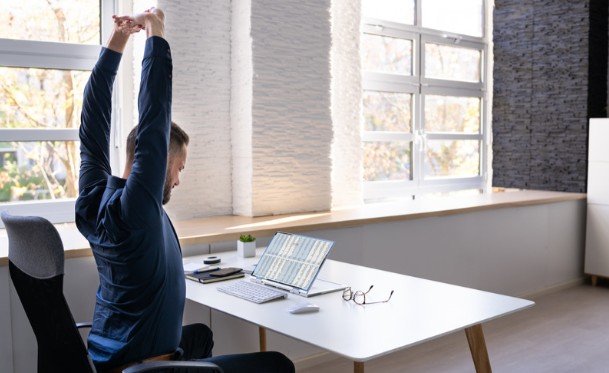
I know how easily a busy workday can turn into hours of leaning toward a screen. Between answering emails and finishing projects, checking my sitting position rarely feels urgent. Yet learning how to improve posture while working at a desk starts with making everyday adjustments easier to maintain.
You do not need to hold your shoulders back all afternoon or immediately replace your furniture. A supportive setup, comfortable positioning, and regular movement provide a practical starting point. Whether you work in a corporate office or at your kitchen table, these changes can help reduce unnecessary strain.
What Does Comfortable Desk Posture Look Like?
Comfortable desk posture keeps your body supported without forcing it into a rigid position. Your head stays balanced over your torso, your shoulders relax, and your hands reach the keyboard without stretching.
Your lower back should have support, while your feet rest on the floor or a footrest. Keep your elbows near your sides, generally bent between 90 and 120 degrees.
Think of these positions as adjustable guidelines. Even a comfortable position becomes tiring when you hold it for hours. Small shifts, standing tasks, and walking breaks belong alongside workstation adjustments.
1. Adjust Your Chair Before Rearranging Everything Else

Start by sitting back in your chair rather than perching on its front edge. Adjust the seat so your feet feel supported and your thighs rest comfortably.
Leave a small gap between the seat edge and the backs of your knees. Pressure in this area can make sitting uncomfortable.
Support Your Lower Back and Feet
Position the backrest to support the natural inward curve of your lower spine. If your chair lacks lumbar support, try a small cushion or rolled towel.
If raising your chair helps you reach the keyboard but leaves your feet dangling, add a stable footrest. A sturdy, appropriately sized household alternative can also work.
Adjust armrests so they support your arms gently without pushing your shoulders upward.
2. Make the Desk Fit Your Working Position
A desk that sits too high may encourage raised shoulders. One that sits too low can leave you bending forward or struggling for legroom.
Aim for a work surface that lets your arms stay relaxed while typing. Clear boxes, bags, and equipment from underneath so you can move your legs freely.
For a fixed-height office desk, adjusting your chair and adding foot support may help. Ask your employer about a workstation assessment if the available adjustments do not provide a comfortable fit.
3. Bring Your Keyboard, Mouse, and Everyday Tools Closer
Place your keyboard directly ahead of you, with the mouse nearby on the same surface. Repeatedly reaching sideways can make your shoulder work harder than necessary.
Keep your wrists relatively straight and your upper arms close to your body. Avoid pressing your wrists against a hard desk edge.
Reduce Reaching During Routine Tasks
Keep your phone, notebook, and frequently used supplies within comfortable reach. Stand to retrieve items farther away.
Use a headset or speakerphone when typing during calls. Holding a phone between your shoulder and ear encourages an awkward neck position. A document holder can also reduce repeated downward glances when copying printed information.
4. Position Your Monitor for Easy Reading

Place your main screen directly in front of you. Start around an arm’s length away, then adjust the distance so you can read without leaning forward.
The top of the display should generally sit at or slightly below eye level. People wearing bifocals may need a lower position for comfortable viewing.
Increase text size before moving your head closer. Reduce glare by repositioning the screen, adjusting blinds, or changing lighting. A monitor placed perpendicular to a window may help.
Understanding how to improve posture while working at a desk includes noticing what makes you lean, twist, or squint during ordinary tasks.
5. Give Your Laptop a More Comfortable Setup
A laptop connects its screen and keyboard, making it difficult to position both comfortably for prolonged work.
Raise the screen with a stable stand and use a separate keyboard and mouse. This lets you adjust viewing height while keeping your hands at a comfortable level.
Avoid spending the entire workday curled over a laptop on a couch or bed. For shared workspaces and temporary home offices, prioritize a supportive chair, stable surface, and enough room for your equipment.
6. Build Movement Into Your Workday
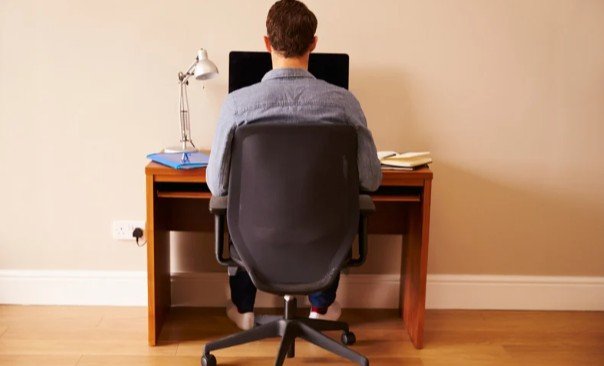
A carefully arranged workstation cannot replace movement. Change position regularly and take brief opportunities to walk, stretch, or complete another task. Pair these breaks with a few sips of water to help you stay hydrated when you forget to drink water.
Try linking movement to existing habits: stand after a meeting, walk when refilling your water, or move before starting another assignment. A reminder can help when concentration makes time disappear.
Alternate Sitting and Standing Comfortably
An adjustable desk can make position changes easier, but standing continuously can also become uncomfortable.
When standing, keep your shoulders relaxed, your keyboard around elbow height, and your knees unlocked. Recheck screen height after changing desk positions. Wear comfortable, supportive footwear and shift your weight occasionally.
7. Support Desk Comfort Beyond Your Workstation
Regular physical activity complements ergonomic adjustments. Walking, strength training, and activities that build body awareness can support your ability to manage everyday working demands.
Gentle desk stretches may help relieve stiffness. Move slowly within a comfortable range instead of forcing a stretch.
If discomfort persists, worsens, or comes with tingling, numbness, or weakness, seek professional assessment. Symptoms deserve attention rather than repeated attempts to force yourself into a particular position.
Frequently Asked Questions
1. What is the first step in learning how to improve posture while working at a desk?
Adjust your chair and foot support first, then position your keyboard, mouse, and monitor around your supported sitting position.
2. Do I need an expensive ergonomic chair?
No. Existing adjustments, suitable back support, and a stable footrest may improve comfort. Persistent problems may require an individual workstation assessment.
3. Will a standing desk stop slouching?
It can offer position changes, but comfortable equipment placement and regular movement still matter.
My Approach to a More Comfortable Workday
I would start with the adjustment that addresses my biggest daily frustration, then check how it feels during real work. Supporting my feet, bringing equipment closer, and taking movement breaks would be manageable first steps. Lasting comfort comes from a flexible routine I can repeat.